Bruno API Client Mock Server: How to Mock APIs with Bruno
Bruno doesn't have a built-in mock server. Learn how to generate mock APIs from OpenAPI specs and export to Bruno for a complete local testing workflow.
Published
Reading time
8 min read
Topics covered
Why read this
This article helps Bruno users build a practical mock-server workflow when they need realistic endpoints before the backend is ready.
- See why Bruno needs a companion mock solution for frontend and integration work.
- Learn how OpenAPI-based mocks fit naturally into a Bruno-centered workflow.
- Walk away with a faster path to prototyping, testing, and local collaboration.
If you're using Bruno as your API client, you've probably noticed it doesn't come with a built-in mock server. Unlike Postman, which includes a mock server feature bundled into its platform, Bruno is focused on being a fast, open-source, offline-first API client — and that's what makes it great.
But when you need to mock an API for frontend development, integration testing, or prototyping, you need a separate tool. This guide shows you the fastest way to get a Bruno API client mock server workflow up and running.
# Does Bruno Have a Built-in Mock Server?
No. Bruno is an API client, not a mock server. It's designed for:
- Sending HTTP requests (GET, POST, PUT, DELETE, etc.)
- Managing API collections as plain text
.brufiles - Storing collections locally in your Git repository
- Running requests with environments and variables
Bruno intentionally stays lean. It doesn't try to be an all-in-one platform like Postman. This is a feature, not a limitation — it means Bruno remains fast, privacy-focused, and open source.
However, this means if you need mock APIs (simulated endpoints that return fake data), you'll need a separate mock server tool.
# The Problem: Mock Server for Bruno Users
Here's the typical scenario:
- Your team is designing a new API using an OpenAPI specification
- The backend isn't built yet (or is under heavy development)
- Your frontend developers need working API endpoints to build against
- You want to use Bruno as your API client (not Postman)
Without a mock server, frontend development stalls. You could hardcode fake data in your frontend, but that's messy and doesn't test real HTTP behavior.
Bruno is great for local testing, but need a cloud mock server to share with your frontend team? Try ApiNotes Teams for $19/month.
# The Solution: ApiNotes + Bruno
ApiNotes is a hosted mock server that generates live API endpoints from your OpenAPI specification. The key feature for Bruno users: one-click export to Bruno collections.
But it works both ways — ApiNotes also accepts Bruno collections as input. You can upload a Bruno collection as either a ZIP file (the folder of .bru files zipped up) or a JSON export (produced by Bruno's "Share Collection → Export in Bruno format" dialog). ApiNotes will convert your Bruno collection into a fully functional mock server with live endpoints — no OpenAPI spec required.
Here's how it works:
# Step 1: Create a Mock Server
Go to apinotes.io/mock-server and upload your API definition. You have two options:
- OpenAPI spec — paste or upload a JSON or YAML file
- Bruno collection — upload a ZIP of your Bruno collection folder, or a JSON export from Bruno's "Share Collection" dialog
No account needed — it's completely free for anonymous use.
If you're starting from an OpenAPI spec and the upload is rejected, run it through the OpenAPI validator to see exactly which field is malformed. The mock server needs a spec that parses cleanly.
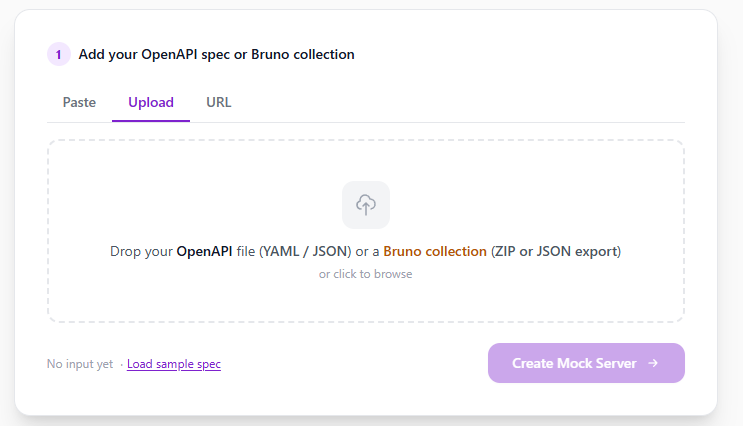
Click "Create Mock Server" and within seconds, every endpoint in your spec (or Bruno collection) gets a live URL with realistic responses generated from your schema definitions.
# Step 2: Export to Bruno
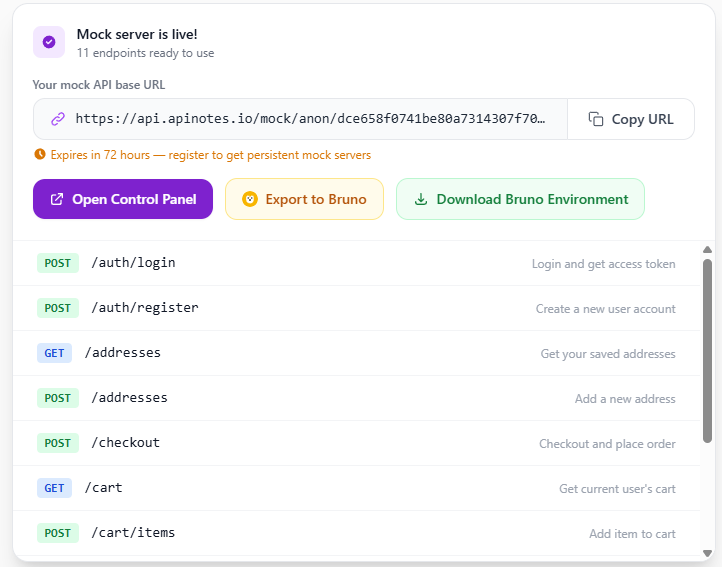
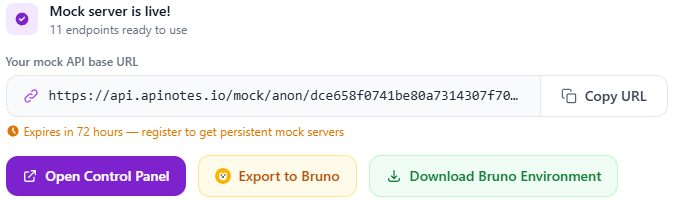
After your mock server is created, you'll see an "Export to Bruno" button. Click it to download a .zip file containing:
- A complete Bruno collection with all your API endpoints
- Each endpoint configured with the correct HTTP method and path
- The mock server base URL pre-set as the collection's base URL
- Request headers and example bodies where applicable
# Step 3: Open in Bruno
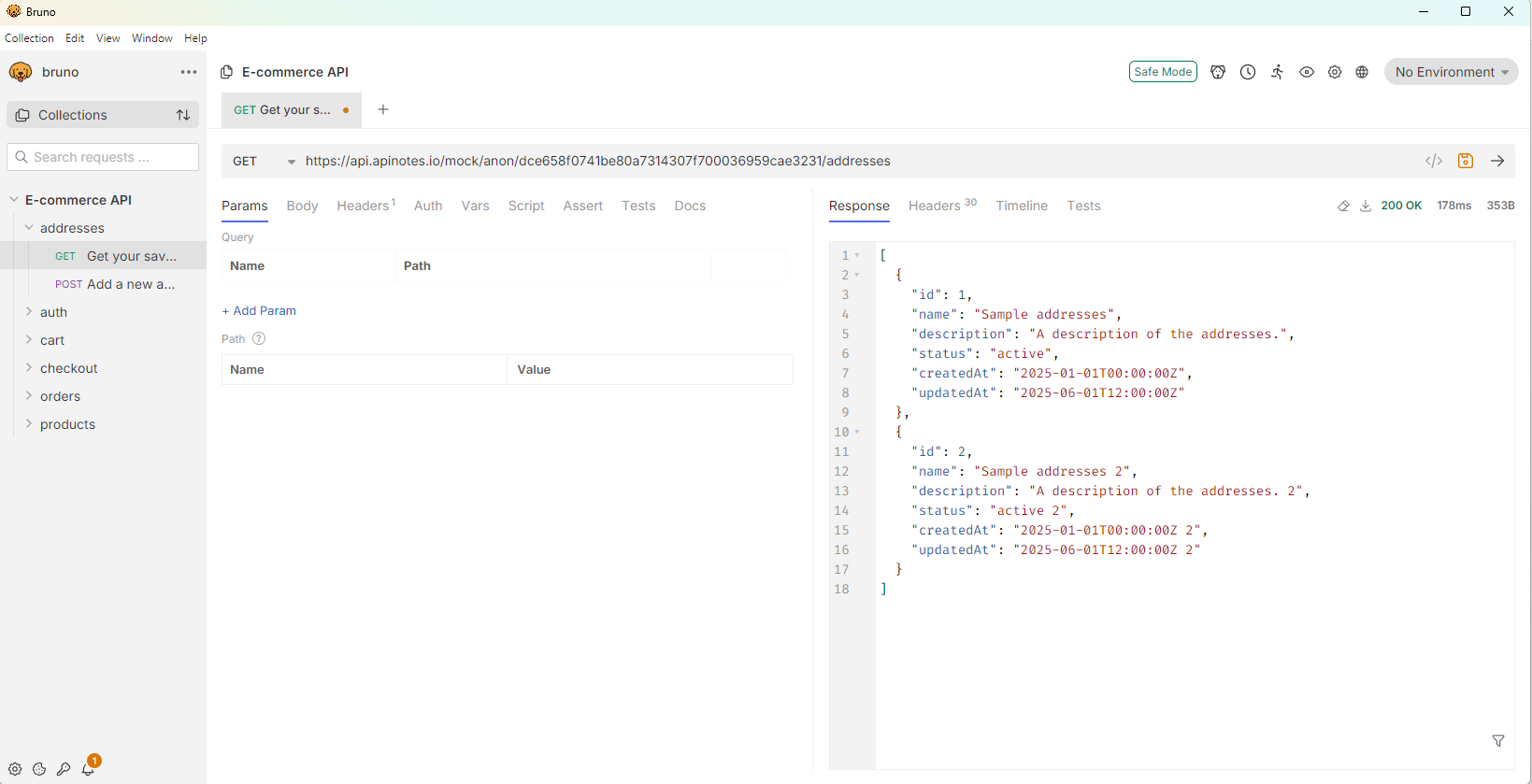
Unzip the collection and open it in Bruno. You'll see all your endpoints ready to fire. Every request points to your live mock server URL and returns realistic responses based on your OpenAPI schema.
# Step 4: Commit to Git
Since Bruno stores collections as plain .bru files, you can commit the entire collection to your Git repository. Every developer on your team gets the same mock testing setup by pulling the repo.
# Import an Existing Bruno Collection
Already have a Bruno collection? You can go the other direction too:
- ZIP your Bruno collection folder (the folder containing your
.brufiles andbruno.json), or use Bruno's built-in "Share Collection → Export in Bruno format" to get a JSON file - Upload the ZIP or JSON file to apinotes.io/mock-server
- ApiNotes converts all requests in your collection into live mock endpoints
This is useful when:
- You already have a Bruno collection but need a mock server for your team
- You want to share live mock endpoints with frontend developers who don't use Bruno
- You need CI/CD-accessible mock URLs based on your existing collection
# Why This Workflow Beats Alternatives
# vs. Postman Mock Server
Postman's mock server requires:
- A Postman account
- Creating a collection
- Manually saving examples for each request
- Per-user pricing ($14-$49/user/month for higher limits)
ApiNotes + Bruno requires:
- No account (anonymous mocks available)
- Paste your OpenAPI spec once
- All endpoints mocked automatically from schemas
- Flat pricing ($19/month, not per-user)
- Export to Bruno for local, offline testing
# vs. WireMock / Mockoon
WireMock and Mockoon are powerful self-hosted mock tools, but they require:
- Installing and running a local server
- Manually configuring mock rules and responses
- Managing a separate server process
ApiNotes gives you hosted mock URLs without running anything locally. And the Bruno export means you still have a local testing experience.
# vs. Hardcoding Mock Data
Hardcoding fake API responses in your frontend code:
- Doesn't test real HTTP calls
- Requires cleanup before production
- Doesn't validate request/response contracts
- Is tedious to maintain as the API evolves
A proper mock server with Bruno collection files is cleaner and more realistic.
# Mock Response Generation
ApiNotes generates mock responses by reading your OpenAPI spec's:
examples— If you've defined response examples, those are used exactlyx-example— Vendor extension examples are supporteddefaultvalues — Schema defaults are respected- Schema definitions — If no examples exist, realistic data is generated from property names, types, formats, and patterns
This means you get realistic responses without manually defining them — the spec is the single source of truth.
# Request Limits and Pricing
| Plan | Mock Servers | Requests | Validity | Price |
|---|---|---|---|---|
| Anonymous | 1 | 500 | 72 hours | Free |
| Free (registered) | 1 | 1,000/month | 72 hours | Free |
| Team | 2 | 50,000/month | Persistent | $19/month |
Bruno itself is completely free (MIT license). The optional Bruno Golden Edition ($19 one-time) adds features like visual Git diff but isn't needed for this workflow.
# Frequently Asked Questions
# Does Bruno API client have a mock server feature?
No. Bruno is an API client focused on sending requests and managing collections. It does not generate or host mock API endpoints. For mock server functionality, pair Bruno with a tool like ApiNotes.
# Can I export a mock server to Bruno?
Yes — ApiNotes is the only mock server platform with a built-in "Export to Bruno" feature. After creating your mock, click the button to download a complete Bruno collection.
# Can I import a Bruno collection to create a mock server?
Yes. You can upload your Bruno collection as either a ZIP file (your Bruno folder zipped up) or a JSON export (from Bruno's "Share Collection → Export in Bruno format" dialog). ApiNotes will convert all requests into live mock endpoints.
# Is this similar to Postman's mock server?
Yes, but simpler and more spec-driven. Postman requires manual example creation per request. ApiNotes auto-generates responses from your OpenAPI spec and exports to Bruno instead of locking you into Postman's ecosystem.
# Can I use this with OpenAPI 3.0 and 3.1?
Yes. ApiNotes supports OpenAPI 3.0, OpenAPI 3.1, and Swagger 2.0 specifications in both JSON and YAML formats.
# Is the mock server URL publicly accessible?
Yes. The mock URL is a public HTTPS endpoint, which means your frontend (running on localhost or deployed anywhere) can reach it. This also works in CI/CD pipelines.
# Getting Started
From an OpenAPI spec:
- Open apinotes.io/mock-server
- Paste your OpenAPI spec
- Click "Create Mock Server"
- Click "Export to Bruno"
- Open the collection in Bruno and start testing
From an existing Bruno collection:
- Open apinotes.io/mock-server
- Upload your Bruno collection (ZIP or JSON export)
- Click "Create Mock Server"
- Share the live mock URLs with your team
No account required. No credit card. Takes under 60 seconds.
Related resources: